Tools & Workflows | 9 min read
Published | Updated
AI Customer Service for Small Business: Faster Replies, Better Reviews, and Happier Customers
AI customer service helps small businesses answer faster, stay consistent, protect trust, and turn common questions into repeatable support workflows.
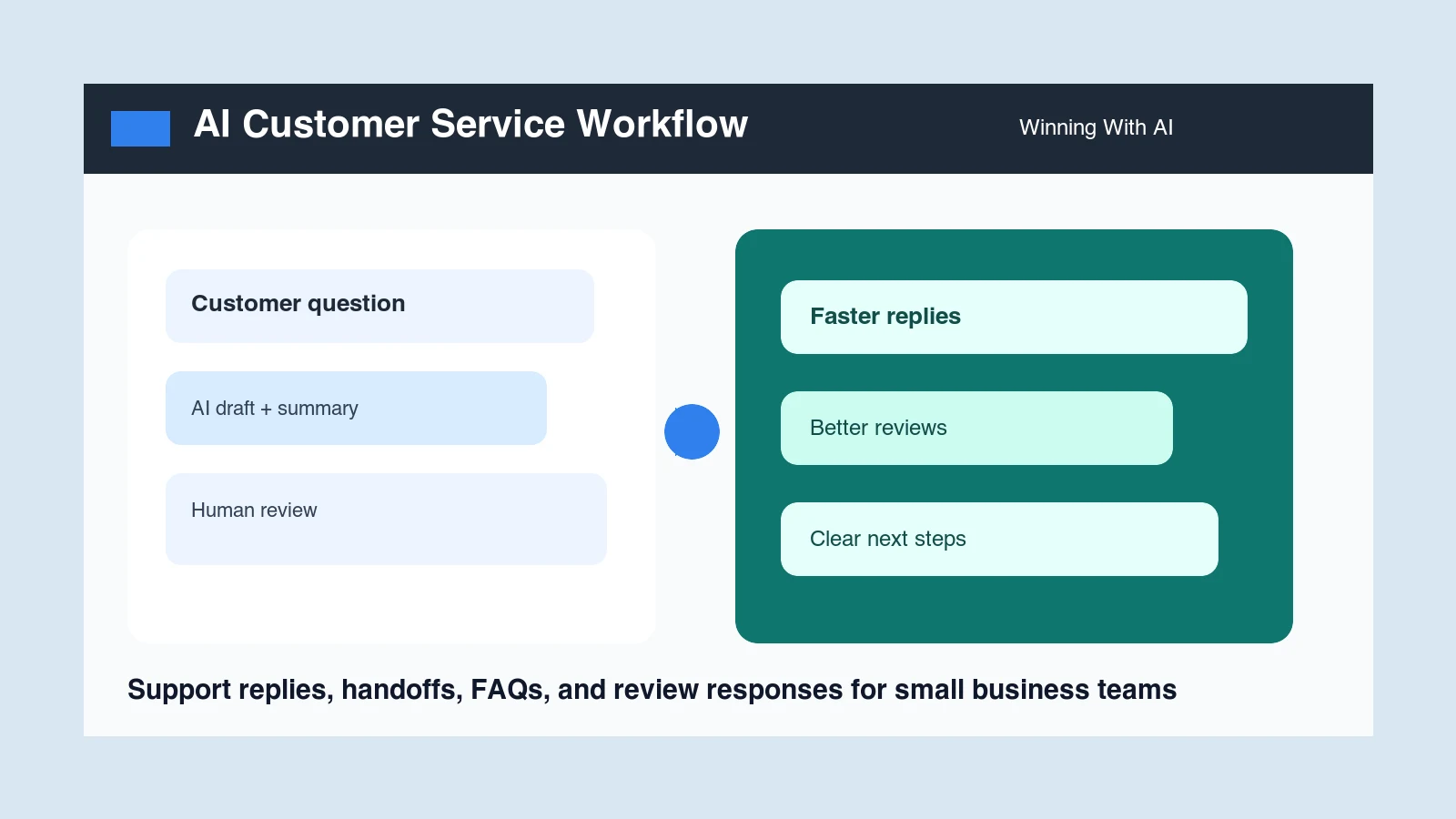
AI customer service for small business means using artificial intelligence to draft faster customer replies, summarize issues, organize handoffs, answer common questions, prepare review responses, and create follow-up messages. The best use isn’t replacing human care. It’s helping owners, employees, and managers respond with more speed, clarity, and consistency.
What’s AI customer service for small business?
AI customer service is the practical use of AI to help a business communicate with customers before, during, and after a sale. It can help draft replies, explain policies, summarize a complaint, create a next-step message, turn repeated questions into FAQ answers, and prepare professional review responses.
For a local business, that may mean a front-desk employee gets help answering appointment questions. For a B2B or online business, it may mean a customer success manager turns a long support thread into a clear summary and next action. In both cases, the human still owns the relationship.
How can AI improve customer replies?
AI can improve customer replies by creating a useful first draft from the customer question, business context, tone, and desired next step. Instead of staring at a blank screen, the team starts with a draft that can be checked, shortened, personalized, and sent faster.
- Answer appointment, pricing, availability, and service-area questions.
- Rewrite rushed replies so they sound calm and professional.
- Explain next steps after a quote, order, appointment, or support request.
- Turn technical explanations into plain English.
- Create versions for email, text message, chat, and social direct messages.
What customer service tasks should AI handle first?
Start with common, repeatable, low-risk support work that creates delays when the team is busy. These tasks are easy to review and they often improve customer experience quickly because speed and clarity matter.
- Common question replies: hours, location, service area, booking steps, preparation, pricing factors, and timing.
- Issue summaries: what happened, what the customer wants, what has already been promised, and who owns the next step.
- Review responses: professional replies to positive, neutral, and negative reviews.
- Follow-up messages: appointment reminders, quote follow-up, order updates, and post-service check-ins.
- FAQ drafts: answer-ready website sections based on the questions customers ask every week.
How can local businesses use AI for support?
Local businesses can use AI for the customer moments that usually pile up during the day: missed-call follow-up, appointment questions, review replies, service explanations, rescheduling messages, complaint summaries, and post-job check-ins. The owner doesn’t need a complex help desk to begin. A repeatable prompt and approved message library can be enough.
- A contractor can summarize a homeowner complaint and draft a calm next-step message.
- A restaurant can respond to reviews and create a private follow-up for a disappointed guest.
- A salon can draft rebooking reminders and service-prep instructions.
- A medical or professional office can draft non-sensitive appointment logistics while keeping protected or regulated details under human control.
How can B2B and online teams use AI customer support?
B2B and online teams can use AI to reduce the lag between a customer question and a useful answer. AI can summarize long threads, draft support replies, create customer update emails, prepare internal handoff notes, and turn repeated tickets into help-center articles.
This is especially useful when the same question shows up in sales, onboarding, support, and customer success. AI can help the team create one clear answer, then adapt it for a prospect, a new customer, an internal teammate, or a manager who needs the short version.
What shouldn’t be automated in customer service?
Don’t fully automate moments where trust, privacy, emotion, compliance, refunds, safety, or legal exposure matter. AI can help summarize the situation and draft options, but a person should decide what to say and what the business will do.
- Angry or emotionally charged complaints.
- Refunds, cancellations, chargebacks, or billing disputes.
- Medical, legal, financial, insurance, or employment issues.
- Private customer information or confidential company details.
- Promises about timing, price, guarantees, or service outcomes.
Will customers mind that AI helped with the reply?
Almost nobody minds a fast, accurate, human-sounding answer. What people object to is being trapped: a bot that will not let them reach a person, that answers a question they did not ask, or that cheerfully misunderstands an urgent problem three times in a row.
The distinction is whether AI is helping your team reply or standing between the customer and your team. The first is invisible and welcome. The second is the reason people now type the word agent into chat windows before reading anything on the screen.
A practical AI customer service workflow
- Collect the customer message and remove private details that don’t belong in the AI tool.
- Tell AI the business type, customer situation, desired tone, and allowed next step.
- Ask for a short summary, the likely customer need, and a draft reply.
- Check the draft for accuracy, empathy, policy, privacy, and promises.
- Edit the reply so it sounds like the business.
- Save the approved version if the question repeats.
- Review repeated questions every month and turn them into FAQ pages, training notes, or better onboarding.
Example prompt for customer service replies
That prompt works because it asks AI to do more than write. It asks AI to summarize, identify the need, draft, and flag what the human must verify. That creates speed without giving up control.
How employees and managers can use this skill
Employees and managers can become more valuable by learning how to turn messy customer communication into clear next steps. A person who can summarize an issue, draft a better reply, create a reusable answer, and protect customer trust is useful in almost any business.
- Front-desk employees can answer faster and reduce repeated typing.
- Managers can review summaries instead of reading every thread from scratch.
- Sales teams can hand off customer context more clearly.
- Support teams can turn repeated questions into approved templates and FAQ content.
See AI customer service workflows live
At Winning With AI, business owners, employees, and managers can watch practical customer service workflows built live: replies, summaries, review responses, FAQ drafts, follow-up, and message libraries. The goal is plain-English confidence, not technical overwhelm.
Customer service improves when replies feed a dependable AI follow-up system for leads and quote requests and staff turn conversations into clear emails, meeting notes, reports, and next steps. Teams that want a repeatable inbox process can use the AI email management workflow for small business. Owners who need to protect calls, bookings, and handoffs can also use the AI receptionist workflow for small business. For high-emotion cases, follow the AI customer complaint response workflow. The Winning With AI program details show how customer communication fits into daily operations.
Find a Winning With AI Seminar Near You
What else do people ask about AI customer service?
Will AI customer service make my business feel less personal?
Only if you let it write the final message unsupervised. Used properly it does the opposite: the draft appears in seconds so a real person has time to add the detail that makes the reply personal, instead of sending a two-line answer at the end of a long day. The speed buys back the attention.
What is the fastest AI customer service win for a small business?
Reply drafting for the questions you answer every week: hours, pricing ranges, availability, and where to find something. Those replies are predictable, low-risk, and currently eating the time you would rather spend on the harder questions. Draft with AI, read it, send it. That single change usually shows up within a week.
Should I tell customers when AI helped write a reply?
The reply is from your business either way, because a person read and approved it before it went out. What matters to a customer is whether the answer was right, quick, and written by somebody who understood the question. Disclosure becomes relevant when AI is answering autonomously with no human in the loop.
Can AI handle angry customers or complaints?
It can draft the reply, and it is genuinely useful for that, because a first draft written without your adrenaline in it tends to be calmer than the one you would type. What it cannot do is decide what you are willing to offer. Read every complaint reply yourself before it goes anywhere.
How do I keep AI replies accurate about my own business?
Give it the facts every time rather than assuming it knows them. Your hours, your pricing, your service area, and your policies go into the request, not into the model's guesswork. The most common cause of an embarrassing AI reply is not the tool inventing something, it is nobody telling it what was true.