Marketing & Sales | 10 min read
Published | Updated
AI Content Calendar for Small Business: Plan Posts, Emails, and Offers in One Hour
Use this one-hour AI workflow to turn customer questions, promotions, reviews, and offers into a simple content calendar your team can actually use.
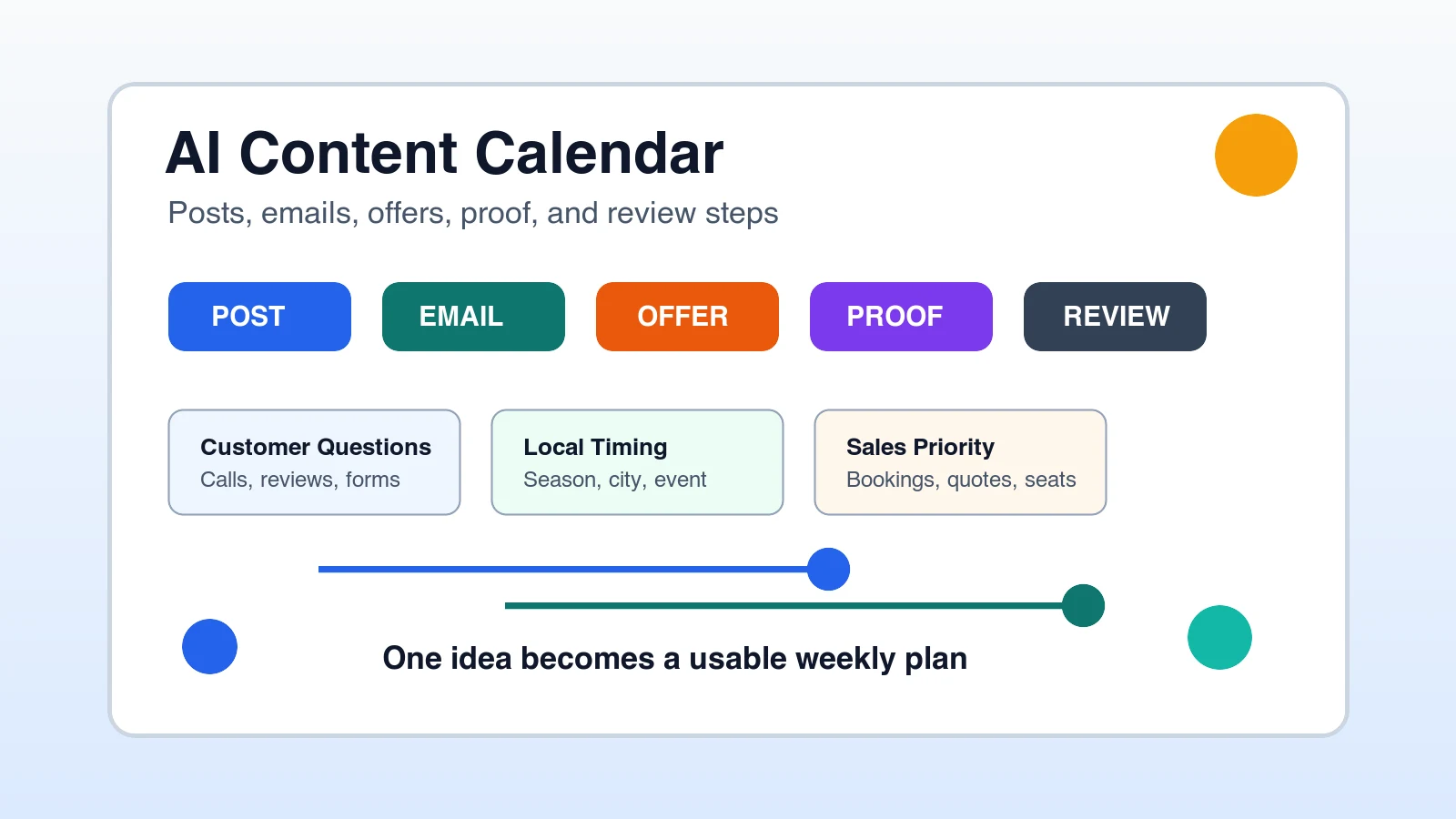
An AI content calendar for small business is a simple weekly plan that turns real customer questions, offers, reviews, events, services, and sales priorities into posts, emails, short videos, ads, and follow-up messages. For local business owners, B2B and online business owners, employees, and managers, the goal is not to post more random content. The goal is to publish useful messages that support leads, trust, repeat business, and sales conversations.
What is an AI content calendar for small business?
An AI content calendar is a planning workflow where AI helps organize what your business should publish, when it should publish it, and what each piece should accomplish. It is not a pile of generic captions. A strong calendar connects content to services, customer questions, promotions, trust signals, sales follow-up, hiring, events, and the buyer decisions that matter.
The small business version should be practical enough for a busy owner, office manager, salesperson, marketing assistant, or department lead to use. If the calendar looks impressive but nobody publishes from it, it failed.
Why do small businesses need a content calendar before using AI?
Without a calendar, AI usually creates scattered content. One day the business posts a tip, the next day a vague quote, the next day a discount, and then everyone gets busy. A calendar gives AI direction. It tells the tool what the business is trying to sell, who the message is for, what proof supports it, and which channel needs the content.
This matters for answer engines, search visibility, local discovery, social media, email, and sales support because consistent useful content creates clearer signals. Customers can understand the business faster, employees know what to say, and managers can review work before it reaches the public.
What should you give AI before asking for a content calendar?
Before asking AI to build a content calendar, gather the raw material that already exists inside the business. The better the inputs, the less generic the output.
- Your main products, services, offers, events, or campaigns for the next 30 days.
- The customers or buyer types you most want to attract this month.
- The top 10 questions customers ask before they buy, book, request a quote, or schedule a call.
- Recent reviews, testimonials, before-and-after examples, case examples, or proof points.
- Seasonal timing, local events, deadlines, promotions, inventory, capacity, or appointment availability.
- The channels you will actually use, such as Google Business Profile, Facebook, Instagram, LinkedIn, email, blog, YouTube Shorts, or sales follow-up.
- The person responsible for drafting, reviewing, approving, and publishing each item.
How do you build a one-hour AI content calendar?
A one-hour AI content calendar works best when you separate planning from writing. First decide what the business needs to communicate. Then let AI turn that plan into a calendar, draft angles, short outlines, and reviewable first drafts.
- Choose one business goal for the next 30 days, such as more quote requests, more appointments, more seminar registrations, more repeat visits, or more demo calls.
- List the audience segments you want to reach: new customers, old leads, existing customers, local prospects, referral partners, employees, or B2B buyers.
- Add five to ten customer questions or objections that must be answered before someone takes action.
- Choose three to five proof points, such as reviews, photos, stories, statistics, guarantees, credentials, examples, or short case studies.
- Ask AI to turn those inputs into a weekly calendar with channel, topic, angle, CTA, owner, and review status.
- Pick the strongest items, remove weak filler, and assign each item to a real person and date.
What should the calendar include?
A small business AI content calendar should be simple enough to maintain. Do not start with a giant spreadsheet nobody updates. Start with the fields that prevent confusion.
- Date: when the content should be drafted, reviewed, and published.
- Channel: where it will appear, such as email, blog, LinkedIn, Facebook, Instagram, Google Business Profile, or sales follow-up.
- Audience: the customer, prospect, employee, manager, owner, or buyer group the message is for.
- Topic: the business question, offer, service, problem, objection, story, or proof point.
- Angle: the specific point of view, promise, example, or useful answer.
- CTA: the next step, such as call, book, reply, request a quote, register, read, visit, or find a seminar.
- Owner: the person responsible for the draft, review, approval, and publishing.
- Status: idea, draft, needs review, approved, scheduled, published, or reused.
What AI content calendar works best for local businesses?
Local businesses should build calendars around service demand, customer trust, local timing, reviews, photos, and repeated questions. A contractor, restaurant, salon, med spa, dentist, gym, repair shop, or professional service firm does not need abstract thought leadership first. It needs content that helps nearby customers decide faster.
A local business example, start to finish
A local roofing company could use AI to plan one month of content around storm season. The calendar might include a Google Business Profile update about inspection availability, a Facebook post answering what hail damage looks like, an email to past customers about checking gutters, a short video showing a safe roof inspection checklist, and a follow-up message for old estimates.
Local content themes to rotate
- Customer question: answer one question people ask on calls or forms.
- Proof: share a review, before-and-after, team photo, result, or customer story.
- Service spotlight: explain one service, who needs it, and when to act.
- Local timing: connect the message to weather, events, seasons, deadlines, or neighborhood needs.
- Offer or next step: make booking, calling, visiting, requesting a quote, or reserving a seat obvious.
What AI content calendar works best for B2B and online teams?
B2B and online businesses should use AI to connect content to the buyer journey. The calendar should help prospects understand the problem, compare options, trust the process, see proof, and take the next step. That means content should support sales conversations, not just social posting.
- Problem education: explain the cost of a problem the buyer already feels.
- Comparison content: help buyers understand options, tradeoffs, and bad-fit scenarios.
- Authority content: publish useful frameworks, checklists, examples, and decision guides.
- Sales enablement: turn objections into emails, short videos, one-page explainers, and follow-up notes.
- Offer content: promote seminars, webinars, demos, consultations, workshops, reports, or product launches.
How can employees and managers use AI for content planning?
Employees and managers can become more valuable by turning messy business knowledge into useful content plans. They do not need to own the whole marketing strategy. They can collect questions, summarize customer conversations, organize reviews, draft first-pass calendars, and prepare materials for owner approval.
- Collect questions from calls, chats, emails, reviews, support tickets, meetings, and sales notes.
- Group them by service, product, objection, buyer stage, location, team need, or follow-up moment.
- Ask AI to suggest content angles for each group, then delete anything vague or inaccurate.
- Draft short outlines for the strongest posts, emails, and videos.
- Send the draft calendar to the manager or owner with clear review questions.
What is a practical AI content calendar prompt?
The best prompt gives AI the business goal, audience, channels, offer, proof, voice, constraints, and output format. A vague prompt like make me a content calendar usually creates thin ideas. A business prompt gives AI a job to do.
What mistakes make AI content calendars fail?
- Asking AI for ideas before giving it real business goals, offers, proof, and customer questions.
- Planning more channels than the team can actually publish and review.
- Letting AI invent facts, outcomes, prices, claims, policies, testimonials, or local details.
- Publishing captions that sound polished but do not answer buyer questions or support sales.
- Skipping ownership, approval, and status fields, which turns the calendar into a wish list.
- Treating every post as brand awareness when the business really needs calls, bookings, registrations, or follow-up.
How Winning With AI teaches content workflows live
Winning With AI is a live AI seminar for business owners, employees, and managers who want practical workflows they can understand and use. Content calendars are a natural fit because they show how AI can turn one business priority into posts, emails, follow-up, FAQs, short videos, ads, and owner-approved next steps.
The live format matters because most small businesses do not need another tool list. They need to see how the workflow is built, what inputs matter, what to review, and how to turn AI output into useful work. WinningWithAI.com helps local, B2B, and online teams find a Winning With AI seminar near them.
What else do people ask about AI content calendars?
Can AI create a content calendar for my small business?
Yes. AI can create a useful content calendar when you give it real inputs: services, offers, audiences, questions, proof, channels, timing, and review rules. Without those inputs, the calendar will usually feel generic.
How far ahead should a small business plan content?
Most small businesses should plan 30 days at a time. That is long enough to create consistency and short enough to adjust around weather, staffing, events, capacity, launches, customer questions, and sales priorities.
Should AI write every post in the calendar?
AI can draft many posts, but it should not replace business judgment. Owners and managers should review accuracy, brand voice, customer details, claims, pricing, offers, and anything sensitive before publishing.
What is the best first content calendar for a local business?
The best first calendar usually combines customer questions, one current offer, recent proof, and a clear booking or quote request CTA. Start with the content most likely to help a nearby customer take action.
Where can I learn AI content planning live?
Winning With AI teaches practical AI workflows for business owners, employees, and managers in a live seminar format. Visit WinningWithAI.com to find a seminar near you and see how AI can turn business ideas into useful marketing assets.
Once the calendar identifies a strong source idea, use AI content repurposing for a small business to adapt it for posts, email, video, and sales follow-up without changing the approved message.
Use the calendar to support AI referral and customer reactivation campaigns and to publish answers that improve lead qualification before a quote or sales call. Connect those weekly tasks to a complete 30-day AI marketing plan. The Winning With AI program details show how content connects to sales and follow-up.